

Joining a conference via the web client is possible either through the subscriber’s personal account (hereinafter referred to as the Personal Account) or by bypassing the personal account and accessing the web client directly.
Each method has its own conditions and limitations, which are described below. It is important to note that via the web client it is only possible to make an incoming call to the server, since calling a subscriber from the server who is connected via the web client is not possible. The routing logic for incoming calls is described in this article.
Direct Connection via Web Client
In the web client, a user can proceed either from the main authorization page or via a link received from the conference moderator.
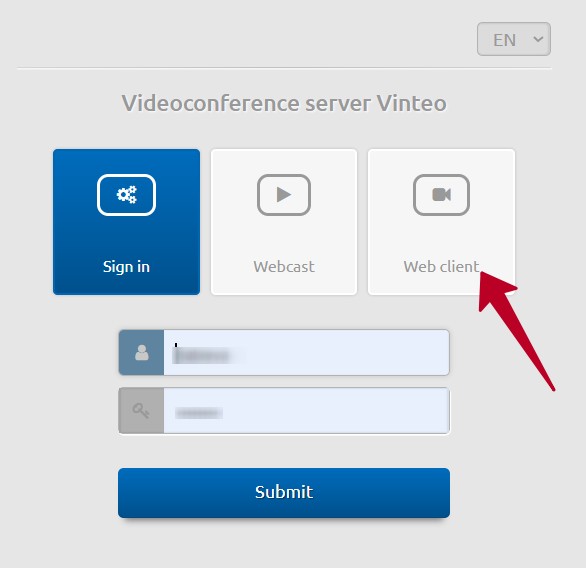
With this connection method, authorization is possible only as a WS-type account, or by connecting without authorization as an anonymous user.
When connecting anonymously, authentication credentials (subscriber number and password) are not required; only a display name must be specified.
Connection via Personal Account
An account of any type can connect to a conference via the web client if they have been added as a participant, by first logging into the Personal Account and then following the link from the “Join conference” widget. In this case, the web client will not request authentication data, and the connection will be established on behalf of the subscriber who is logged into the Personal Account.
Connection is also available from the side menu panel.
If the conference is closed, it is possible to become a participant only after entering the PIN code or by waiting for the moderator to connect you.
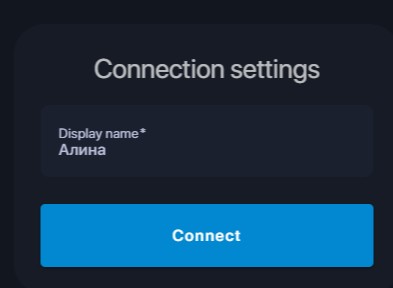
The conference PIN code cannot start with 0.
Connections via the widget link and the side menu are available after entering the login (subscriber number) and password on the main page, for subscribers of any type (WS, SIP, Loop, or H.323), but only for conferences in which they are participants.
If a participant attempts to join the web client as an anonymous user but has previously entered their authentication credentials on the main page, the system will recognize them as an authorized participant (subscriber).