

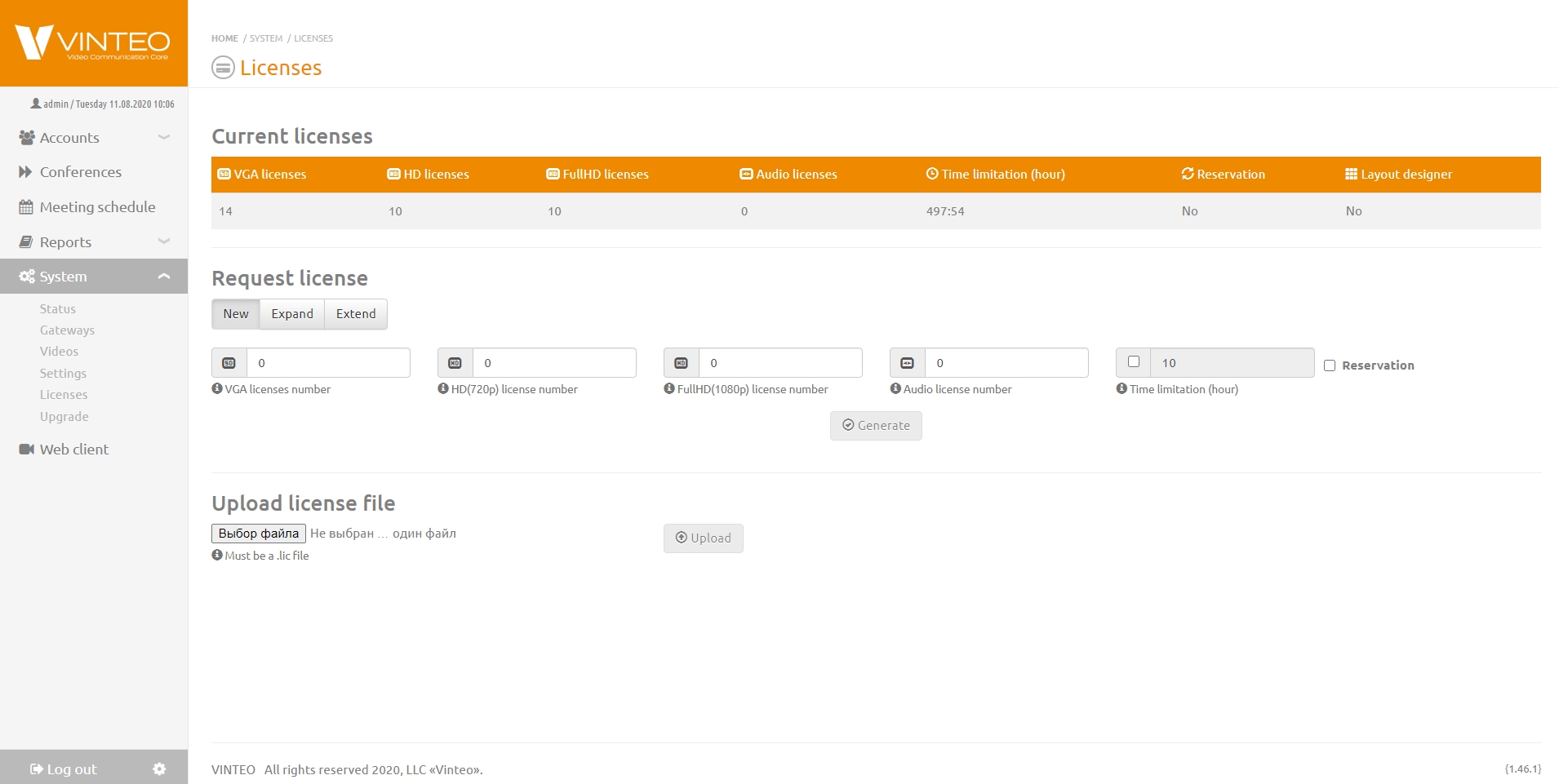
The VINTEO server is distributed under a license purchased from official partners of Vinteo LLC. This section allows you to request and install a license on the server, as well as view previously installed licenses. Licenses can be time-limited or unlimited, and there are four types of licenses by participant:
- License for connecting participants with standard resolution up to VGA;
- License for connecting participants with standard resolution up to HD;
- License for connecting participants with quality up to FullHD and higher;
- License for connecting participants with audio-only stream.
The distributed server package uses port-based licensing, i.e., if a client with VGA resolution lacks a license for that resolution, it occupies the next higher available license.
More detailed information is available in the article Vinteo Server Licensing
Requesting and Installing a License
To request a license, fill in the fields with the number of participants, then click the “Generate” button. The resulting file licrequest.lic must be sent by email to Vinteo LLC to receive the license file newlic.lic. The file received from our company must be uploaded using the “Choose File” and “Upload” buttons. The license will appear in the list of licenses at the top of the page.
Changing the Number of Participants for the Current License
If a license is already installed on the server but it is necessary to increase the number of simultaneously connected participants with a specific resolution (VGA, HD, FHD) and the hardware platform supports it, then in the “Request License” section you need to select the “Extend” option, specify the number of ports to add to the main license, and click “Generate” to create the request. The resulting file must be processed the same way as when requesting a new license.
Extending the Server Operation Time for a Time-Limited License
To extend time-limited licenses, you need to select the “Request License” option “Renew”. Enter the required number of hours into the active field “Time Limit (hours)” or click the arrow buttons to increase/decrease the number of hours (the default value is “10”), add it to the remaining time of the current license, and click the “Generate” button. The resulting file must be processed the same way as when requesting a new license.