

Users page
On this page, you can add, delete, and edit user accounts that have administrative rights on the server (available from server version 26.0.7).
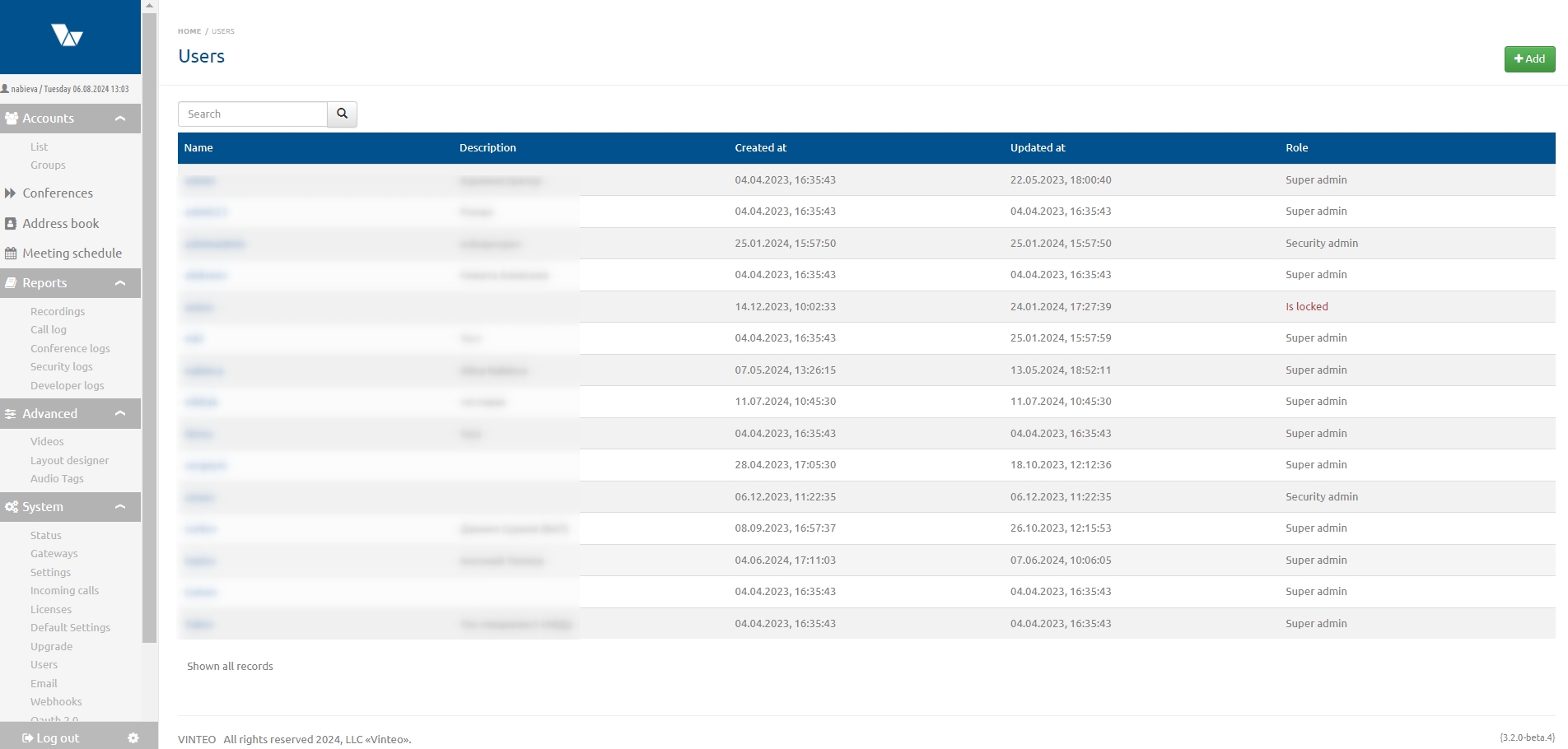
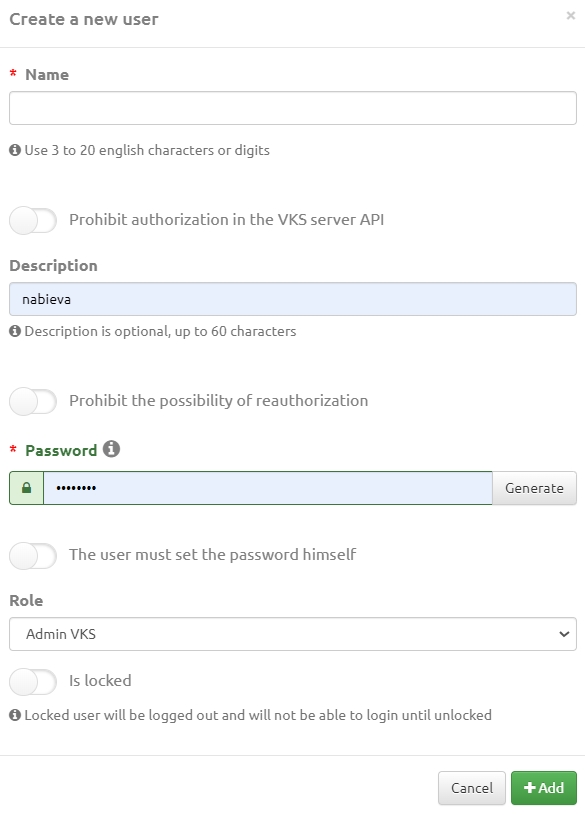
To add a new user, click the button in the upper right corner of the page. The following fields are available in the modal window:
- Login – used for server authorization together with a password;
- A toggle switch that, when enabled, will block authorization to the VCS server API;
- Description – the name of the responsible administrator or another comment;
- A toggle switch that, when enabled, will block the possibility of re-authentication;
- Password – which can be generated or set manually;
- A toggle switch that, when enabled, requires the user to set the password themselves;
- Tenant – field to specify the tenant name;
- Role – field to select the user role from a drop-down list: VCS administrator, superadmin, or security administrator;
- A toggle switch that, when enabled, will prevent the user from logging in until they are unlocked.
The security administrator only has access to security-related functionality on the server.
Actions performed by each such user are recorded in system reports and conference reports.