

Description of functionality
In the “System” section list, there is an item called “Security Policies”, which provides access to the page with the same name.
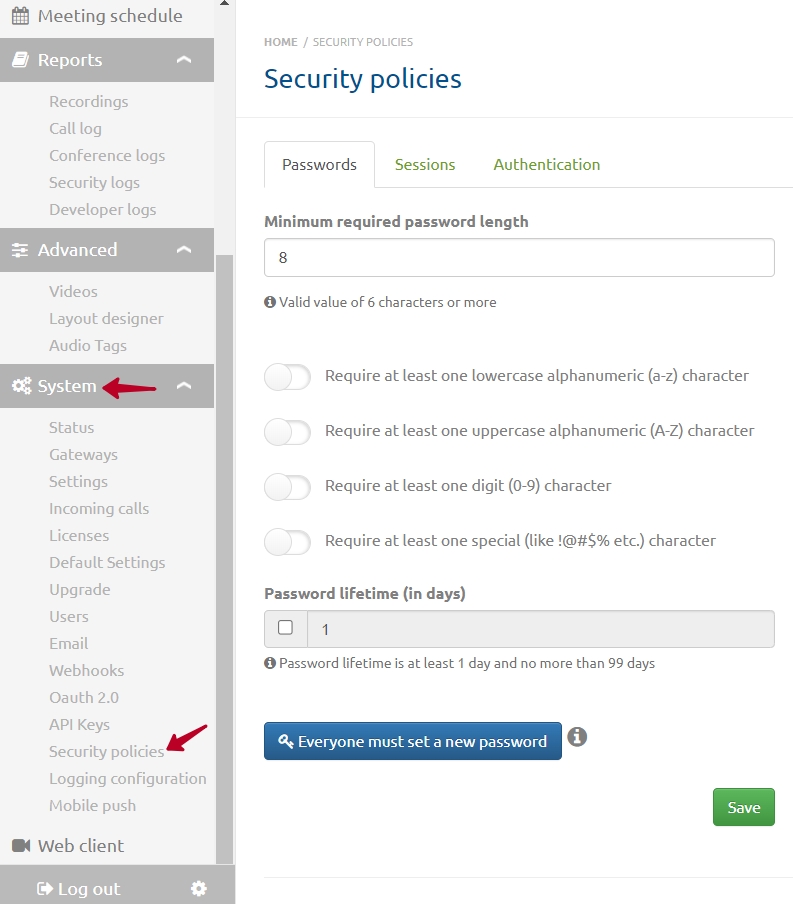
The “Security Policies” page contains 3 tabs where you can set security requirement settings:
- Passwords;
- Sessions;
- Authentication.
Passwords
On this tab, you can set requirements for passwords.
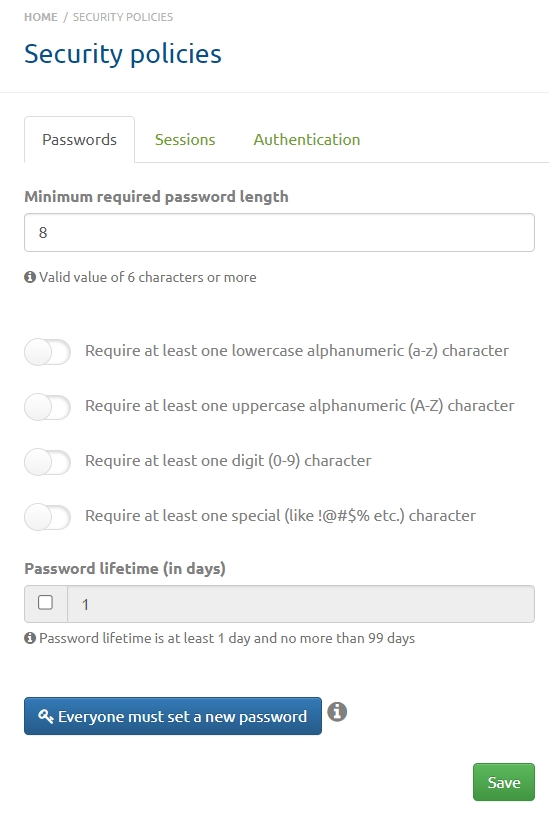
The “Minimum required password length” field allows you to set the minimum mandatory number of password characters.
Below there are 4 toggles:
- “At least one lowercase alphanumeric character (a-z) is required”;
- “At least one uppercase alphanumeric character (A-Z) is required”;
- “At least one digit (0-9) is required”;
- “At least one special character is required (e.g., !@#$%, etc.)”.
You can also set the password lifetime in days, with a minimum of 1 day and a maximum of 99 days.
When you click the button at the bottom of the page, all server users and subscribers will be required to set a new password during their next successful login.
After setting the required parameters, click the “Save” button.
Sessions
This tab contains session settings.
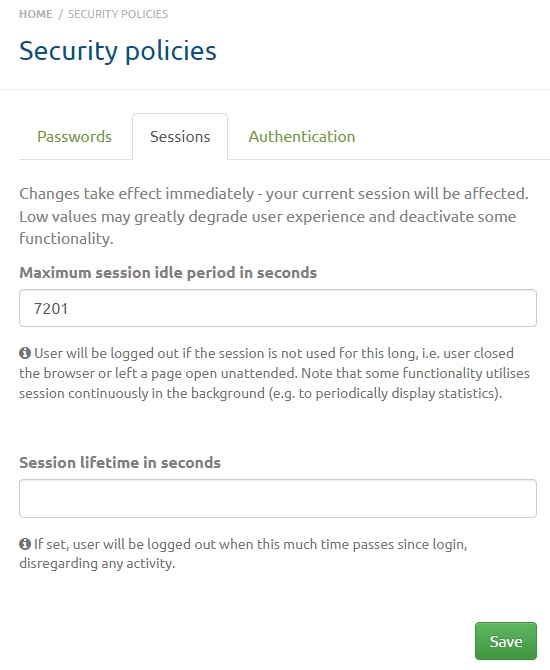
The applied settings will take effect immediately. However, low values may significantly worsen the user experience and disable some features.
In the first field, you can set the allowed idle time in seconds. The user will be logged out if the specified value is exceeded.
On some pages, data is updated dynamically, so the maximum idle time will not be exceeded, and the user will not be logged out.
Below is a field where you can set the session lifetime in seconds. After the specified time, the user will be logged out regardless of activity.
Click the “Save” button to save the settings.
Authentication
This tab allows you to set limits for authentication errors: the number of failed attempts for a client or account before login is blocked, the restriction period in seconds, and blocking the account after consecutive errors.
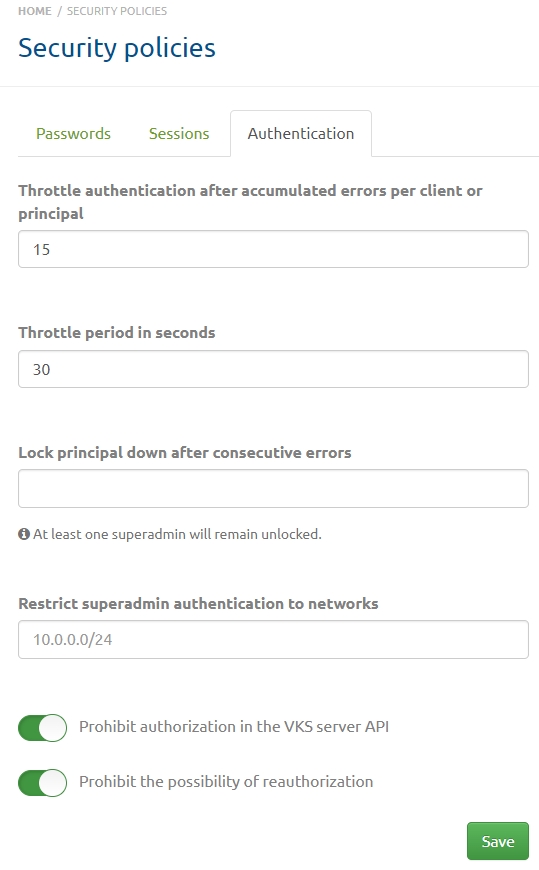
The “Restrict superadmin login by networks” field allows you to specify the network(s) from which server superadmins can log in. A superadmin cannot log in from another network. You can specify multiple networks in the ip/mask format (192.168.0.0/24). As soon as you start entering a network, an additional field will appear below.
The page also contains toggles that prohibit:
- authentication in the VCS server API;
- the ability to re-authenticate.
After setting the restrictions, click the “Save” button.